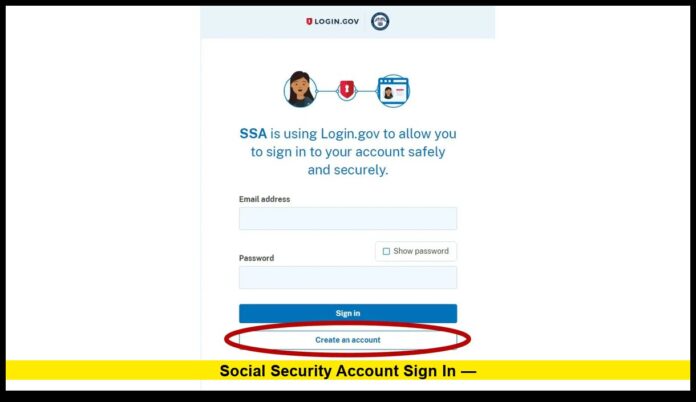
If you’re trying to use Social Security Account Sign In, here’s what’s new and important as of late 2025. The Social Security Administration (SSA) has fully transitioned away from the old username-and-password login.
Now, to access your online account, you must use one of two secure credential providers: Login.gov or ID.me.
Table of Contents
Why the Change?
The SSA made this shift to enhance security and streamline access to online services. Rather than maintaining separate usernames and passwords for each government site, you now use a single secure credential system.
Under the new setup, Login.gov and ID.me offer multi-factor authentication and verifiable identity proofing. This reduces the risk of fraud and unauthorized access.
The update affects anyone who wants to: check benefit status, file for retirement or disability, request benefit verification letters, update direct deposit, or otherwise use any online Social Security service.
How to Sign In: Step-by-Step
If you want to access your personal Social Security account online:
- Visit the SSA sign-in page.
- Select either “Sign in with Login.gov” or “Sign in with ID.me.”
- If you don’t yet have an account with either, choose “Create an account,” provide your email and Social Security number, then set up multi-factor authentication (MFA).
- Complete identity verification — this may include uploading ID, using a security key, or a video-call verification depending on the provider.
- Once verified, you’ll have access to all the usual SSA online services: check benefits, estimate retirement, request documents, manage direct deposit, and much more.
If you already have a Login.gov or ID.me account (used for another federal service), you don’t need to create a new one — just use those credentials.
What Changed Compared to the Old Login System
| Old System (pre-2025) | New System (post-transition) |
|---|---|
| SSA-specific username & password | Login.gov or ID.me credential (universal across multiple federal services) |
| Single-factor login | Multi-factor authentication and identity proofing required |
| Login only for SSA | Unified credential works across many U.S. government services |
| Potential for reused or weak passwords | Stronger security, fewer credentials to manage |
Thanks to these changes, SSA aims to provide safer, more consistent access across its online services — while also aligning with broader federal authentication standards.
Tips for a Smooth Sign-In Experience
- Use a unique email address for your credential — don’t reuse shared or family emails.
- Enable backup MFA methods (backup codes, security key, landline) in case you lose access to your phone.
- Keep your contact information (phone, email) current — essential for account recovery or security alerts.
- If you run into trouble signing in, login issues, or lost credentials, contact SSA via their official support channels.
What This Means for You
- Even if you created a Social Security online account years ago under the old system, you must now transition to Login.gov or ID.me to keep using your online access.
- Once transitioned, your access isn’t limited to Social Security — you’ll be able to use the same secure credential for other federal services that support Login.gov or ID.me.
- The change helps protect your personal information, and reduces password-fatigue by consolidating logins.
If you haven’t made the switch yet, now is a good time to set up your Login.gov or ID.me account and secure continuous online access.
Let me know if you’d like a quick checklist or walkthrough to set up your account — I’m happy to help

