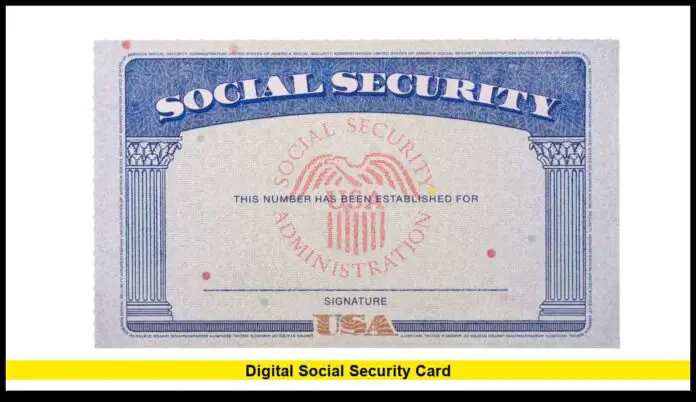
The digital social security card is now officially available to millions of Americans, allowing eligible users to view their Social Security number securely online through their personal Social Security Administration account as of early 2026. This upgrade marks the most significant modernization of SSN access in decades and is now active nationwide.
The new system allows individuals to retrieve their Social Security number digitally instead of relying solely on a physical card. The feature is designed for secure identity verification and everyday use when completing employment paperwork, financial forms, or government applications.
Table of Contents
What the Digital Social Security Card Means
A digital Social Security card is the secure, electronic display of your Social Security number (SSN) within your official my Social Security online account. It is not a scanned image or downloadable copy of the paper card. Instead, it is a real-time, authenticated view of your SSN that is protected by federal identity-verification systems, multi-factor authentication, and encryption.
With this feature, users can log in and instantly view their SSN on a computer or mobile device without waiting for postal delivery or requesting a physical replacement card. The traditional paper card is still issued and remains legally valid for all purposes, but digital access provides a faster, more convenient option when you need your number for employment, financial, or government-related forms.
How Americans Can Access It
To view a digital copy of their Social Security number (SSN) online, Americans must complete a secure verification process through the Social Security Administration’s official system. The steps include:
The number can be viewed anytime on a phone, tablet, or computer once verification is complete.
Create or sign in to a “My Social Security” account
Visit the SSA’s official website and register or log in.
Provide basic personal details such as name, date of birth, and SSN.
Complete identity verification
Answer security questions based on personal records.
Confirm identity using a one-time passcode sent to a phone or email.
In some cases, verify through a trusted third-party identity service.
Enable secure login protections
Turn on two-factor authentication (2FA).
Use a temporary security code each time you sign in.
View the SSN in the account dashboard
Access the full Social Security number in a protected digital format.
Why the Change Was Introduced
The digital access program was rolled out to solve several persistent problems in the Social Security system, including:
- Lost or damaged Social Security cards
- Millions of Americans misplace their physical cards or have them destroyed due to wear, fire, flooding, or theft.
- Replacing a card has traditionally required paperwork, proof of identity, and weeks of waiting.
- Long wait times for mailed replacements
- Processing and mailing a new card can take several weeks or longer during peak periods.
- Delays often create problems for people starting new jobs, applying for benefits, or completing financial verification.
- High in-person traffic at Social Security offices
- Many visitors come solely to request replacement cards or verify their SSN.
- This contributes to overcrowding, long appointment backlogs, and slower service for people with urgent benefit issues.
- Growing demand for secure digital identity services
- Government agencies are modernizing to match how people manage banking, taxes, and healthcare online.
- A secure digital SSN display supports identity verification while reducing fraud and paperwork.
Overall, the update cuts administrative delays, lowers office congestion, and gives Americans instant, secure access to their own Social Security number whenever it is needed.
Current Nationwide Status (2026)
As of 2026, the Social Security Administration’s digital SSN viewing feature is fully implemented across the country with the following status:
- Fully operational in all U.S. states
- The service is live nationwide, including all 50 states, Washington, D.C., and U.S. territories supported by SSA online services.
- No pilot or limited-access restrictions remain.
- Available to adults with verified online accounts
- Users must be 18 or older.
- Access is limited to individuals who have completed full identity verification through a “My Social Security” account.
- Protected by multi-factor authentication
- Login requires a password plus a one-time security code or authentication app.
- This prevents unauthorized access even if login credentials are compromised.
- Integrated into the official Social Security system
- The digital SSN display is part of the core SSA online portal, not a third-party app.
- Information shown matches SSA’s official records in real time.
The nationwide rollout was completed in late 2025, and the digital SSN feature is now a permanent, standard service for eligible Americans in 2026.
Security and Privacy Protections
Because Social Security numbers are highly sensitive, the system uses:
- Encrypted login sessions
- Identity verification checks
- Multi-step authentication
- Automatic session timeouts
- Security and Privacy Protections
- Because Social Security numbers are extremely sensitive personal data, the digital SSN system is built with multiple layers of protection, including:
- Encrypted login sessions
- All data is transmitted using high-level encryption.
- This prevents interception by hackers on public or private networks.
- Strict identity verification checks
- Users must pass identity confirmation before access is granted.
- Verification is tied to official government and financial records.
- Multi-step authentication
- Access requires more than just a password.
- One-time passcodes, authentication apps, or biometric verification may be used.
- Automatic session timeouts
- The system logs users out after a period of inactivity.
- This protects accounts if a device is left unattended.
- Continuous fraud monitoring
- Unusual login behavior or location changes trigger security alerts.
- Suspicious activity can result in temporary account locks or additional verification.
- For personal safety, users are strongly advised to:
- Avoid saving or storing screenshots of their SSN.
- Never share login credentials.
- Always log out after each session, especially on shared or public devices.Fraud monitoring
Users are advised not to store screenshots of their SSN and to log out after each session.
Where the Digital Card Is Accepted
The digital Social Security card allows users to securely view and retrieve their SSN for most situations that require number verification, including:
- Employment onboarding forms
- Completing I-9 and payroll documents.
- Verifying identity for new job hires and background checks.
- Banking and financial applications
- Opening checking or savings accounts.
- Applying for credit cards, loans, or mortgages.
- Identity verification for investment and retirement accounts.
- Tax documentation
- Filing federal and state income tax returns.
- Accessing IRS records and tax transcripts.
- Confirming identity for tax software and accountants.
- Student financial aid records
- Completing FAFSA applications.
- Verifying eligibility for federal grants and student loans.
- Updating school enrollment and scholarship records.
- Government benefit services
- Applying for or managing Social Security benefits.
- Medicare, Medicaid, and other federal or state assistance programs.
- Identity confirmation for unemployment and disability services.
While many institutions now accept the digital SSN for number verification, some in-person transactions—such as certain government offices or international documentation—may still require the physical Social Security card. However, the digital version is fully valid for securely viewing and confirming your number whenever it is needed.
What It Does Not Replace
While the digital SSN display provides convenient access to your number, it has important limitations:
- Does not eliminate the physical card
- The traditional Social Security card is still issued and remains the official physical document.
- Does not serve as a photo ID
- It cannot be used in place of a driver’s license, passport, or state ID.
- Cannot be downloaded as a printable certificate
- The system does not allow users to generate or print an official SSN document from the digital view.
- Is not meant to be shared electronically
- Screenshots, forwarding, or digital sharing are discouraged and may expose sensitive data.
The digital feature is intended strictly as a secure personal reference, not as a transferable or stand-alone identity document.
Benefits for U.S. Residents
The digital Social Security number feature offers several practical advantages for Americans, including:
- Instant SSN access
- View your number anytime through a secure online account.
- No waiting for mail delivery
- Eliminates weeks-long delays for replacement cards.
- Reduced risk of losing the card
- No need to carry the physical card for routine verification.
- Fewer office visits
- Cuts down on trips to Social Security offices for simple SSN lookups.
- Faster identity verification
- Speeds up employment, banking, tax, and benefit applications.
For workers, students, retirees, and first-time applicants, the digital system streamlines identity confirmation and reduces paperwork delays, making everyday administrative tasks faster and more secure.
Future Improvements Under Review
The Social Security Administration is continuing to modernize its digital services, with several enhancements currently being tested or evaluated, including:
- Mobile-optimized identity dashboards
- Easier navigation on smartphones and tablets.
- Faster access to SSN and benefit information through responsive design.
- Expanded account recovery options
- More ways to regain access if a user forgets login details.
- Additional identity verification paths to prevent lockouts while maintaining security.
- Enhanced fraud alerts
- Real-time notifications for suspicious login attempts.
- Location and device-based warnings to detect unusual activity.
- Broader acceptance for digital verification
- Wider recognition of digital SSN viewing by employers, banks, and government agencies.
- Reduced need to present physical documents for routine verification.
All future upgrades are being introduced gradually, with strong emphasis on data protection, identity security, and system reliability.
What Users Should Do Now
If you need regular access to your Social Security number, taking a few proactive steps can help you use the digital system safely and efficiently:
- Activate your online account
- Create or log in to your verified “My Social Security” account.
- Complete all identity verification requirements to unlock full access.
- Turn on two-step verification
- Enable multi-factor authentication for added protection.
- Use a one-time code or authentication app each time you sign in.
- Memorize your SSN
- Knowing your number reduces the need to view or store it digitally.
- This lowers the risk of accidental exposure.
- Avoid saving it on unsecured devices
- Do not store your SSN in notes apps, photos, emails, or browsers.
- Never keep screenshots on phones or shared computers.
- Use the digital view only when necessary
- Access your number only for official purposes such as employment, banking, or government forms.
- Always log out after each session to keep your information secure.
The launch of the digital social security card represents a major step in modernizing identity access for Americans, combining convenience with high-level federal security standards.
Frequently Asked Questions (FAQs)
1. Is the digital Social Security number the same as my physical card?
Yes. The number shown in your “My Social Security” account is your official SSN and matches SSA records exactly. It is a digital display of the same number printed on your physical card.
2. Can I use the digital SSN instead of carrying my card?
You can use it to view and reference your number for most forms and applications. However, some in-person situations may still require the physical card.
3. Is it safe to view my SSN online?
Yes. The system uses encryption, identity verification, and multi-factor authentication. Access is limited to verified users only.
4. Can I download or print my digital SSN?
No. The SSA does not allow downloading or printing of the digital display to prevent misuse and identity theft.
5. Who is eligible to use the digital SSN feature?
- U.S. residents age 18 and older
- Users with a fully verified “My Social Security” account
- Individuals who have enabled secure login protections
6. What if I forget my login or get locked out?
You can use the SSA’s secure account recovery process, which may include identity re-verification and multi-step authentication.
7. Does this replace the need for a replacement card?
No. You can still request a physical replacement card. The digital version is for secure viewing and reference only.
8. Can employers accept the digital SSN?
Most employers can use the number for verification, but some may still ask to see the physical card for compliance or record-keeping.
9. Is the service available on mobile phones?
Yes. You can access your SSN through a secure browser on smartphones, tablets, and computers.
10. Will the digital SSN be expanded in the future?
The SSA is testing improvements such as enhanced mobile access, stronger fraud alerts, and broader digital verification acceptance, with security remaining the top priority.
Stay informed as this system continues to evolve, and share your experience with digital SSN access in the comments below.

