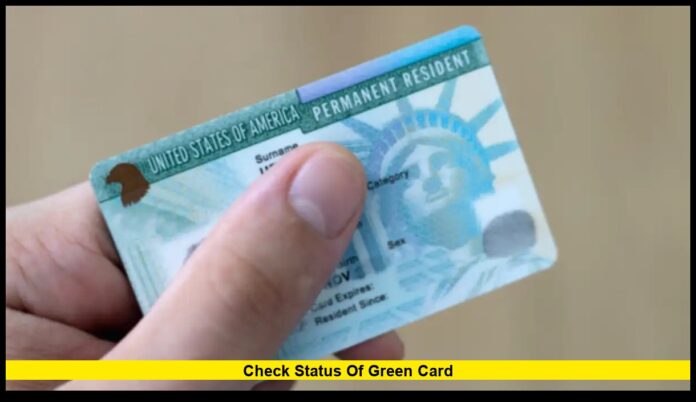
For anyone waiting on U.S. permanent residency, knowing how to check status of green card is one of the most important steps in the process. Whether you’ve applied for the first time, filed for renewal, or are waiting for your replacement card, tracking your application ensures you stay updated on every milestone.
As of December 2025, the U.S. Citizenship and Immigration Services (USCIS) has improved its online tracking tools, allowing applicants to follow real-time updates, receive notifications, and estimate processing times — all from their phone or computer.
Table of Contents
What Does “Green Card Status” Mean?
The green card, officially called a Permanent Resident Card (Form I-551), gives a non-U.S. citizen the legal right to live and work permanently in the United States. Once your application is submitted, USCIS assigns your case a unique receipt number, which you can use to track progress until your card arrives.
There are several ways to apply for a green card, including:
- Family-based sponsorship
- Employment-based immigration
- Diversity Visa (DV) Lottery
- Asylum or refugee adjustment
- Special immigrant categories, such as military or long-term residency cases
Each application type follows the same tracking system, so everyone can check their case status using the same online tools.
How to Check Status of Green Card Online
In 2025, checking your green card status is easier than ever. Here are the most reliable and secure ways to monitor your application:
1. The USCIS Online Case Tracker
The fastest way to check your case is through the USCIS Case Status Tracker on the official government website.
Here’s how to use it:
- Go to USCIS.gov/casestatus.
- Find your 13-character receipt number (it starts with three letters like “EAC,” “WAC,” “IOE,” or “LIN” and is followed by ten numbers).
- Enter the number without dashes.
- Click “Check Status.”
Your case status will appear immediately, showing updates like:
- Case Was Received
- Case Is Being Actively Reviewed
- Request for Evidence (RFE) Sent
- Interview Scheduled
- Card Is Being Produced
- Card Was Mailed
This tool works 24/7 and is updated in real time.
2. Create a MyUSCIS Online Account
For more detailed tracking, create a MyUSCIS account. This secure online account gives you access to:
- Real-time case progress and estimated decision timelines
- Notifications by email or text when your case status changes
- Electronic copies of USCIS notices
- Digital uploads for requested evidence (RFEs)
- USPS tracking once your green card is shipped
Creating an account is free and can save you weeks of waiting for mailed updates.
3. Contact USCIS by Phone
If you can’t access your case online, you can call the USCIS Contact Center.
📞 Phone: 1-800-375-5283
📞 TTY: 1-800-767-1833 (for hearing-impaired applicants)
🕐 Hours: Monday–Friday, 8 a.m. to 8 p.m. Eastern Time
You’ll need your receipt number and date of birth. For complex or delayed cases, you can request a Tier 2 officer callback to speak directly with an immigration officer.
4. Track Delivery After Approval
Once your green card is approved, USCIS mails it through the U.S. Postal Service (USPS).
You can monitor delivery by:
- Checking your USCIS account for the USPS tracking number
- Signing up for USPS Informed Delivery, which provides email notifications and images of incoming mail
If your card is lost or returned to USCIS, you can now request re-delivery online — no additional form required.
Understanding USCIS Case Status Updates
Every applicant receives a series of official case status messages. Here’s what they mean:
| Case Status | Explanation |
|---|---|
| Case Was Received | USCIS received your application and sent a receipt notice. |
| Biometrics Appointment Scheduled | You’ll need to attend a fingerprinting and photo appointment. |
| Case Is Being Actively Reviewed | Your case is under review by a USCIS officer. |
| Request for Evidence Sent | USCIS needs more documentation before making a decision. |
| Interview Scheduled | You must attend an interview at a USCIS office. |
| Case Was Approved | Your application has been approved. |
| Card Was Produced | Your physical green card is being printed. |
| Card Was Mailed | Your card has been shipped via USPS and will arrive soon. |
Each message marks a specific stage of your case, and updates can appear at any time.
Typical Processing Times (2025 Update)
Processing times vary depending on your case type and service center.
Here’s what applicants can expect in December 2025:
| Form Type | Purpose | Average Time (2025) |
|---|---|---|
| Form I-485 | Adjustment of Status (Family-Based) | 10–18 months |
| Form I-485 | Employment-Based | 8–14 months |
| Form I-90 | Renewal or Replacement | 6–9 months |
| Form I-130 | Petition for Alien Relative | 9–16 months |
| DV Lottery | Diversity Visa | Within the Fiscal Year (by Sept 30) |
These timelines are updated monthly on the USCIS Processing Times page. Creating an online account gives you access to estimated completion dates tailored to your case.
How to Check Status for Renewal or Replacement
If your green card is lost, stolen, damaged, or expiring, you must file Form I-90 (Application to Replace Permanent Resident Card).
Once filed, you can track your renewal using the same case status tools.
In 2025, USCIS automatically extends the validity of expiring green cards for 24 months after filing Form I-90. You’ll receive a Form I-797C Notice of Action that serves as temporary proof of status while you wait for your new card.
For Applicants Outside the United States
If you applied through consular processing (via a U.S. embassy or consulate), your case is handled by the National Visa Center (NVC) and tracked through the Consular Electronic Application Center (CEAC).
Steps to check your case:
- Visit ceac.state.gov.
- Click “Check My Visa Application Status.”
- Enter your NVC case number (for example, MTL2025XXXXXX).
- Review the latest update on your immigrant visa.
After you enter the U.S. with your immigrant visa, your green card will arrive at your U.S. address within 90 days.
What to Do If Your Case Is Delayed
If your case takes longer than the normal processing time:
- Log in to your USCIS account and submit a “Case Outside Normal Processing Time” inquiry.
- Contact USCIS customer service to request escalation.
- Ask your congressional representative for help — congressional offices can directly contact USCIS about your case.
- Schedule an InfoPass appointment to visit a USCIS field office if needed.
For urgent reasons such as medical needs or employment deadlines, you can also request expedited processing with supporting evidence.
Recent USCIS Improvements in 2025
The 2025 USCIS system updates have made case tracking faster, safer, and more transparent. Key improvements include:
- Real-time text and email alerts for all case actions
- Estimated decision dates visible in user accounts
- Integrated USPS tracking for green card delivery
- Fewer paper notices, with secure digital copies available online
- AI-powered chat support (“Emma 2.0”) to answer applicant questions instantly
These upgrades are part of the USCIS modernization initiative to handle high application volumes while improving communication with applicants.
Common Mistakes to Avoid
Even with advanced tools, some applicants make simple errors that delay their cases. Here are the most common ones — and how to avoid them:
- Using the wrong website: Only use official U.S. government sites ending in “.gov.”
- Entering the wrong receipt number: Always type the full 13 characters without spaces.
- Ignoring RFEs: Respond to “Request for Evidence” notices as quickly as possible.
- Not updating your address: File Form AR-11 or update your MyUSCIS profile if you move.
- Waiting too long to check status: Regular monitoring helps catch problems early.
By staying proactive, you can prevent delays and keep your application on track.
After Your Green Card Is Approved
When USCIS approves your application, you’ll receive a notice stating “Case Was Approved.”
Your physical card is usually mailed within two weeks, and you’ll be able to track it using your USPS tracking number.
If you don’t receive your card within 30 days, you can file an e-request online to investigate and reissue it if necessary.
Your green card is valid for 10 years (for permanent residents) or 2 years (for conditional residents, such as marriage-based applicants).
Read Also :- Green Card rule update: What U.S. applicants need to know now
Green Card Holders and Citizenship
Once you’ve held a green card for the required period, you may become eligible to apply for U.S. citizenship using Form N-400 (Application for Naturalization).
Most applicants qualify after:
- 5 years of permanent residency, or
- 3 years if married to a U.S. citizen
Your USCIS online account can also be used to track your naturalization case after filing.
Key Takeaways
- You can check status of green card anytime through the USCIS website using your 13-character receipt number.
- Creating a MyUSCIS account provides faster updates, digital notices, and USPS tracking.
- Current processing times range from 8 to 18 months, depending on your application category.
- Always use official government tools, respond promptly to USCIS notices, and keep your contact information current.
These steps will help ensure you never miss an update and that your application moves forward smoothly.
Conclusion
Waiting for a green card can be stressful, but with today’s online tools, staying informed has never been easier.
By knowing how to check status of green card properly, you can track every stage of your application, avoid delays, and plan your next steps toward permanent residency with confidence.
Have you checked your green card status recently? Share your experience or questions in the comments below!

