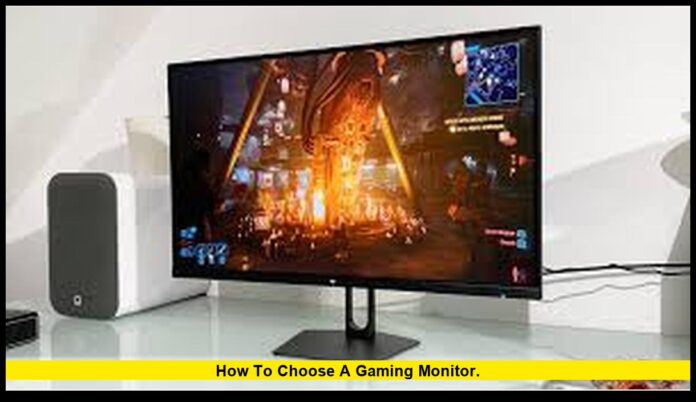
How to choose a gaming monitor is a question many gamers face this holiday season as prices, panel technology, and connectivity standards continue to evolve. Today’s monitors influence not just picture quality, but input lag, frame pacing, and compatibility with next-generation consoles and powerful gaming PCs. Understanding these factors helps you pick a screen that elevates your gaming experience instead of limiting it.
Choosing the right display matters more than ever. New standards such as HDMI 2.1 and modern HDR certifications have reshaped what gamers can expect from 4K visuals, high refresh rates, and adaptive sync features. Matching your monitor to your hardware ensures smoother performance, stronger color accuracy, and better long-term value.
Table of Contents
Know your primary platform first
Before comparing models, consider where you play most. Console gamers using PlayStation or Xbox should prioritize monitors with true HDMI 2.1 ports to access 4K at 120 Hz, variable refresh rate (VRR), and low-latency modes. PC gamers generally benefit from DisplayPort connections, which support high refresh rates at both 1440p and 4K. If you switch between console and PC, choose a monitor that includes both HDMI 2.1 and DisplayPort to avoid sacrificing performance.
Resolution vs. refresh rate: find your ideal balance
Different games and players have different needs:
- Competitive FPS players often choose 1080p or 1440p displays with extremely high refresh rates—240 Hz to 360 Hz—to maximize responsiveness and minimize input lag.
- Single-player and immersive gamers typically prefer 1440p or 4K monitors with refresh rates around 120–144 Hz to combine smooth motion with sharper detail.
Your GPU or console must support the resolution-and-refresh-rate combination you choose, so consider your hardware’s capabilities before purchasing.
Panel type: IPS, VA, or OLED?
Each panel type offers distinct advantages:
- IPS panels provide excellent color accuracy and wide viewing angles. They are ideal for players who also create visual content or want consistent colors across the screen.
- VA panels deliver deeper contrast and darker blacks, making them great for story-driven or visually cinematic games. Modern VA gaming monitors also have improved response times.
- OLED monitors offer near-instantaneous response times and perfect black levels. With rich contrast and smooth motion, OLED has become one of the most desirable panel types for gamers. Buyers should review burn-in protection features and warranty terms when choosing an OLED model.
Understanding HDR certifications
High Dynamic Range adds realism to games through brighter highlights and deeper shadows. Not all HDR labels are equal, so look for VESA DisplayHDR certifications. These certifications verify brightness levels, color performance, and local dimming capabilities. Higher tiers, such as DisplayHDR 600, 1000, or the True Black series, provide significantly better HDR performance than basic HDR badging.
Connectivity essentials
Before checkout, confirm that the monitor includes the ports you need:
- HDMI 2.1 is essential for 4K at 120 Hz on consoles and ensures VRR and auto low-latency mode support.
- DisplayPort 1.4 or 2.1 is ideal for high-refresh PC gaming at 1440p and 4K.
- USB-C (DisplayPort Alt Mode) is helpful for laptop users who want video, data, and charging through a single cable.
Extras like adjustable stands, VESA mounting options, and built-in USB hubs may also influence your setup.
Size, aspect ratio, and pixel density
Gaming monitors come in various sizes and shapes:
- 24–27 inches work well for 1080p and 1440p resolutions at typical desk distances.
- 32 inches and larger pair best with 1440p or 4K to maintain comfortable sharpness.
- Ultrawide (21:9) and super-ultrawide (32:9) displays amplify immersion in racing, simulation, and open-world games, though they demand more from your GPU.
Pick a size that matches both your desk depth and your preferred field of view.
Response time, input lag, and adaptive sync
Smooth gameplay depends on more than just refresh rate. Low response time reduces motion blur, while low input lag ensures snappy controls. Monitors with adaptive sync technologies—such as NVIDIA G-SYNC or AMD FreeSync—help eliminate screen tearing and maintain fluid motion when frame rates fluctuate. Many models now support both technologies, giving gamers more flexibility.
Monitor trends and buying conditions right now
Recent months have brought strong pricing on gaming monitors, including OLED and high-refresh-rate models. Many premium features that were once expensive—multiple HDMI 2.1 ports, better HDR performance, and improved motion handling—now appear in mid-range displays. Seasonal sales have also made advanced models more affordable, but it’s important to confirm the exact model number and port specifications before purchasing, as similar versions may differ.
A simple checklist before buying
- Verify the monitor includes HDMI 2.1 or DisplayPort, depending on your platform.
- Ensure your GPU or console can support the resolution and refresh rate.
- Confirm the panel type matches your priorities: color accuracy, contrast, or motion clarity.
- Check for VESA DisplayHDR certification if HDR performance matters to you.
- Review trusted performance measurements for response time and input lag.
Final thoughts
The gaming monitor market continues to advance rapidly, offering options for every type of player. If you focus on competitive performance, prioritize refresh rate and input responsiveness. If you value visual immersion, choose higher resolutions, larger screens, or OLED technology. Identifying your platform, playstyle, and priorities makes selecting the perfect monitor far easier—and helps ensure you get the performance you’re paying for.

