The newest updates around Venmo chat support reflect how the popular U.S.-based peer-to-peer payment app is handling customer service, disputes, and security — and how you can reach a live agent quickly.
Table of Contents
✅ What is Venmo Chat Support
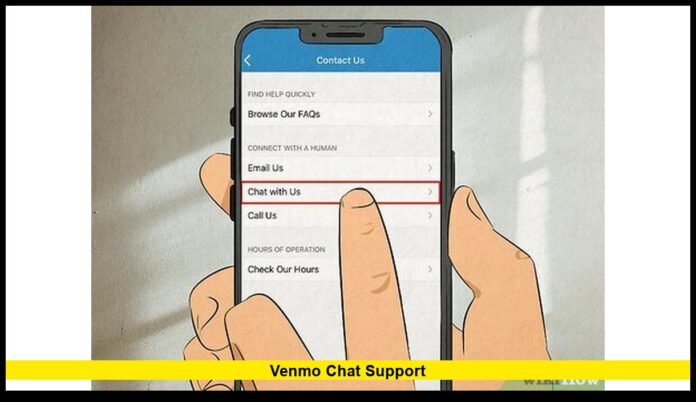
The app Venmo offers an in-app support system that includes a “Chat With Us” option. Users can reach the support team by opening the app, navigating to Me → Settings → Get Help → Chat With Us. This takes you to a chat interface where you can request assistance from a human agent.
Chat support in the Venmo app is available daily from 8:00 AM to 10:00 PM Central Time.
For card-related issues — such as problems with a Venmo Debit or Credit Card — chat through the app remains the recommended support method.
📞 Alternative Support: Phone & Support Hours
If you prefer voice support, you can also call Venmo Customer Service at 855-812-4430.
- The toll-free phone line operates during weekdays, generally from 10:00 AM to 6:00 PM Eastern Time (i.e., Monday to Friday).
- In many cases, pressing “0” in the call menu helps redirect to a live human representative.
However, it appears the app’s chat feature is considered the more up-to-date and preferred support channel by Venmo itself.
🧰 What the Chat Helps With: Issues & Features
Venmo’s in-app chat support — and its Help Center — cover a wide range of user needs:
- Account & payment problems: login help, frozen or locked accounts, verification troubles.
- Disputes or unauthorized transactions: For suspicious or unrecognized payments, users can open a dispute through chat.
- Security concerns: If you suspect fraud or want to secure your account, chat support is the official channel to raise flags.
- Card (Debit/Credit) issues: Problems with your linked Venmo Debit or Credit Card — including shipping delays, unauthorized card use, or card loss — can be handled via chat or via the phone line listed on the back of the card.
🔐 Important Security & Scam-Prevention Advice
The support channel is especially relevant given the frequent issues around scams and malicious activity. The platform’s official guidance includes:
- Never share verification codes, passwords, or sensitive info outside the official Venmo app.
- Venmo will only request sensitive info (like identity documents) through secure channels: via the in-app chat or a secure upload form under a “venmo.com” or “help.venmo.com” domain.
- If you notice suspicious account activity — unfamiliar device logins, unauthorized transactions — you should immediately contact support via chat or phone.
These safeguards make Venmo chat support not just a convenience — but also a crucial tool for protecting your account and funds.
🧑💻 Why This Matters Now
With online payments and peer-to-peer transfers booming in 2025, robust customer care is essential. Many users rely on quick support for urgent issues like unauthorized charges or frozen accounts. Venmo’s emphasis on a streamlined in-app chat shows a shift towards more efficient, user-friendly support.
Moreover, since card-related and security issues remain common, having a defined and consistent support channel — especially one that doesn’t require leaving the app — helps maintain user trust and mitigates losses due to scams or fraud.
📌 How to Use Venmo Chat Support: Quick Tips
| Step | Action |
|---|---|
| 1 | Open the Venmo app and tap the Me tab |
| 2 | Tap Settings → Get Help → Chat With Us |
| 3 | Write a brief description of your issue (e.g. “unauthorized payment,” “account locked,” “card problem”) |
| 4 | Wait for a response — based on your query, you may need to provide additional details |
| 5 | If your issue is urgent or card-related and timing matters, also consider calling the Venmo Customer Service phone number. |
Using these steps ensures faster support and helps avoid common pitfalls like delays in responses or miscommunication.
🧾 What’s Not Supported Through Chat
- Disputes related to Venmo Credit Card charges must be handled through the bank (linked to the card) rather than directly via chat.
- Venmo does not offer 24/7 chat support. The service window is 8:00 AM–10:00 PM Central Time. For times outside those hours, you may need to wait or try calling during phone support hours.
Venmo’s in-app chat support remains a critical resource for account help, payment issues, fraud prevention, and card-related problems. If you encounter an issue, the chat option — or the dedicated phone line — ensures there’s a clear way to reach human assistance.
Let me know in the comments if you’ve used Venmo chat support and how your experience was — or stay tuned for more updates.

